FAB Bank Statement Online – How to View, Download & Print Your Statement Easily
Monitoring your money is a necessity in the modern digitalized world. First Abu Dhabi Bank enables its customers to access, download, and print their transaction history in a matter of seconds without having to visit a physical branch with FAB Bank Statement Online. FAB offers safe and convenient services to all customers, whether they require their statement to verify their salary, visa, loan application, business accounting, or personal budgeting.
In the UAE, banking services are highly digitalized, and FAB simplifies the process of account holders accessing their financial records at any time and place. This saves time, less paperwork, and better control of your money.
This step-by-step tutorial will show you how to access your FAB Bank Statement, and all the possible options, such as online banking, the FAB mobile app, ATM mini-statements, and visiting the branch. You will also know how to download statements in PDF or Excel format, request stamped copies, access older records, comprehend statement details, use statements for official purposes, and troubleshoot.
How to Get Your FAB Bank Statement
FAB provides various options to view your bank statement to ensure that you can select the best method. Both options are meant to be safe, quick, and convenient to both personal and business clients. You can use a computer, smartphone, ATM, or go to a branch, but FAB will make sure that you can always access your financial information.
The main methods include:
- FAB Online Banking
- FAB Mobile App
- ATM Mini-Statements
- FAB Branch Visits
Each method serves a different purpose, depending on whether you need a full statement, a quick transaction summary, or an officially stamped document.
How to Get Your FAB Bank Statement via FAB Online Banking
FAB Online Banking is one of the easiest and most reliable ways to access your account statements. It enables you to see all your transaction history, check your FAB balance, and download statements in various formats immediately.
This is particularly effective with individuals who handle their finances on the internet on a regular basis, including employees with a salary, freelancers, business owners, and students.
Step-by-Step Guide
- Visit www.bankfab.com
- Click Login
- Enter your username and password
- Tap Sign In
- Go to Accounts from the top menu
- Select Statements
- Choose your account and preferred date range
- Click Download PDF or Export to Excel
- Save the file to your device
Within seconds, your bank statement will be ready for viewing, printing, or sharing.
Key Benefits of FAB Online Banking
- Instant statement generation
- Secure login with encryption
- Custom date range selection
- PDF and Excel formats
- Works on desktop and laptop
- Suitable for personal and business users
This is the best method to use when the user requires detailed financial records to use in accounting, budgeting, visa applications or official documents. It also enables you to store digital records to be used later.
How to Get Your FAB Bank Statement Through the FAB Mobile App
The FAB Mobile App offers the same services as online banking, but with the advantage of being mobile. Your statement is available to view and download at any time and place, directly on your smartphone.
This suits individuals who like to handle their finances simultaneously.
Steps to Access Your Statement
- Open the FAB Mobile Banking app
- Log in using your credentials or biometric ID
- Tap Accounts
- Select Statements
- Choose the account and date range
- Tap Download PDF
- The statement will save to your phone
You can then open, print, or share the file as needed.
Why Use the FAB Mobile App?
- Easy on-the-go access
- Secure biometric login (fingerprint or face ID)
- Quick downloads
- Simple sharing options
- Real-time account updates
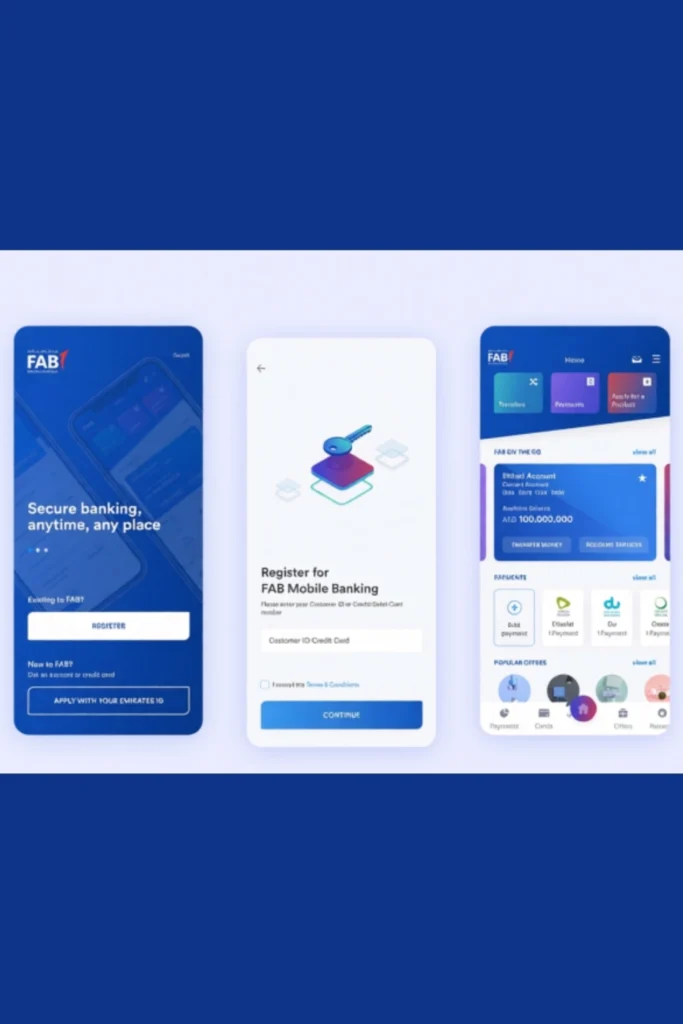
You can also use the app for FAB balance check, fund transfers, bill payments, card management, and monitoring your spending habits.
ATM Mini-Statement Option
If you only need a quick view of your recent transactions, the ATM mini-statement is a fast and simple solution. This option does not require internet access and is useful when you just need basic information.
How to Get a Mini-Statement
- Insert your FAB debit card
- Enter your 4-digit PIN
- Select Mini Statement
- Collect the printed receipt
What It Shows
- Last 5 to 10 transactions
- Withdrawals and deposits
- Card purchases
- Transaction dates
This option is useful when you need immediate proof of recent activity, such as checking if a salary or payment has been credited.
Get Your FAB Bank Statement from a Branch
For official or legal purposes, a stamped bank statement is often required. You can obtain this by visiting a FAB branch in person.
What to Bring
- Emirates ID
- FAB debit card
Steps
- Visit your nearest FAB branch
- Request a printed bank statement
- Specify the date range
- Receive a stamped copy
Best For
- Visa applications
- Loan processing
- Salary verification
- Legal documentation
- Embassy submissions
Branch-issued statements are officially authenticated and widely accepted by government offices, banks, and institutions.
Related Blogs


How to Download Your FAB Bank Statement
Downloading your FAB bank statement is quick and secure through both online banking and the mobile app.
Download in PDF Format
PDF statements are ideal for printing and official use.
Steps:
- Select your account
- Choose a date range
- Click Download PDF
- Save the file
PDF files maintain the original formatting and are accepted for most official purposes.
Export to Excel Format
Excel files are useful for financial analysis and record-keeping.
Steps:
- Click Export to Excel
- Open the file in spreadsheet software
- Edit or analyze transactions
This format is especially useful for business owners, accountants, and freelancers.
How to Email or Share Your FAB Statement
You can easily share your statement with employers, banks, landlords, or government offices.
Using the FAB Mobile App
- Download the PDF
- Tap Share
- Select Email or WhatsApp
Always ensure you send statements securely to protect your personal data.
How Far Back Can You Access FAB Bank Statements?
FAB allows customers to access:
- Up to 12 months of statements online
- Older records through branch requests
If you need archived statements, visit a branch with your Emirates ID and request historical records. There may be a small processing time for very old statements.
Understanding Your FAB Bank Statement
Your FAB bank statement contains important financial details, including:
- Account holder name
- Account number
- Statement period
- Opening balance
- Closing balance
- Transaction dates
- Transaction descriptions
- Debit and credit amounts
- Running balance
Understanding these details helps you track spending, verify salary deposits, and identify any unusual activity.
FAB Bank Statement for Salary Proof
Many customers use their FAB bank statement to confirm salary deposits.
Your statement will show:
- Employer name
- Salary credit date
- Amount received
This is useful for:
- Visa processing
- Renting a home
- Loan applications
- Job verification
You can also perform a FAB balance check to confirm salary credits.
FAB Bank Statement for Business Accounts
Business account holders benefit from detailed transaction reports.
They can:
- Download multi-month statements
- Export to Excel for accounting
- Track expenses and income
- Share with auditors
- Prepare tax records
FAB Online Banking makes financial management easier for businesses.
FAB Bank Statement for Personal Budgeting
Your bank statement is also a powerful tool for personal finance planning.
You can:
- Track monthly spending
- Identify unnecessary expenses
- Monitor subscriptions
- Set saving goals
- Improve money management
Using Excel statements can make budgeting even easier.
Security Tips for Accessing FAB Bank Statements
To keep your banking data safe:
- Never share your login details
- Use strong passwords
- Enable biometric login
- Avoid public Wi-Fi
- Log out after each session
- Do not save passwords on shared devices
FAB uses advanced encryption technology to protect customer information.
Common Problems and Solutions
Forgot Password
Use the Forgot Password option on the login page.
Statement Not Downloading
- Check your internet connection
- Try another browser
- Use the mobile app
Account Locked
Contact FAB customer support for assistance.
Incorrect Statement Period
Double-check the selected date range before downloading.
Customer Support for FAB Bank Statements
If you face any issues, FAB provides 24/7 support.
UAE Helpline: 600 52 2235
International: +971 2 681 1511
Email: atyourservice@bankfab.com
Support agents can help with:
- Login issues
- Statement access
- Technical errors
- Account inquiries
Extra Features FAB Offers
FAB also provides:
- SMS banking alerts
- Transaction notifications
- Budget tracking tools
- Secure document storage
- Digital receipts
- Card controls
- Spending insights
These features help you stay organized and informed about your finances.
Why FAB Bank Statement Online Is the Best Choice
FAB offers:
- Secure digital access
- Multiple download formats
- Free services
- 24/7 availability
- Official stamped statements
- Easy sharing options
- Strong customer support
Whether you need statements for personal use, salary proof, or business purposes, FAB provides reliable solutions.
Conclusion
Accessing your FAB Bank Statement Online is fast, secure, and completely free. You can view, download, and print your statements using online banking, the FAB Mobile App, ATMs, or by visiting a branch. Digital statements are perfect for everyday use, while stamped copies meet official requirements.
FAB simplifies banking by providing instant access, a variety of formats, and excellent customer service, making it stress-free. FAB makes your financial information accessible at all times, whether you require a FAB balance check, salary check, business records, or complete transaction history.
Frequently Asked Questions
How long does it take to generate an online statement?
Statements are generated instantly.
Can I download multiple months at once?
Yes, select a custom date range.
Is there a fee for downloading my statement?
No, it is free.
What if I need a stamped statement?
Visit a FAB branch with your Emirates ID.
How many transactions appear on a mini-statement?
5 to 10 recent transactions.
Can I email my statement?
Yes, through the mobile app.
What if I can’t log in?
Use the password reset option or contact support.
How far back can I retrieve statements?
Up to 12 months online.
Can I download Excel statements?
Yes, via online banking.